
Received the product. installed as directed. Started using the system the same day.

Programmable bell system
Replace your bell system in one afternoon.
WiFi-enabled programmable bells — 2.4 GHz, no internet needed. Set 500 schedules from your phone. No wiring, no subscription, no IT project. Made in USA with imported components.
- Free US shipping
- 30-day returns
- No subscription
- Made in USAwith imported components
- Free US shippingShips in 1–2 days
- 30-day returnsNo restocking fee
- 1-year warrantyHardware + firmware
- No subscriptionOne-time purchase
Buy now
— $299
Buying for a school or business? Request a quote — POs accepted
One bell system. Many places.
Schools, factories, warehouses, churches — same hardware, same dashboard.

Schools
Automate class change, lunch, and dismissal. One schedule per campus, set from the office in 5 minutes.

Factories
Shift starts, breaks, lunch, and end-of-day — all on time, all from one dashboard. No electrician needed.

Warehouses & churches
Quiet hours, prayer calls, service start times. One bell runs on its own WiFi hotspot with no network at all; several run from a Controller on your local 2.4 GHz WiFi. No internet either way.
What WiBell customers say
★★★★★
5.0 out of 5
Based on 1 verified review across the WiBell system
Ringing in 40 states & territories
650+ bells sold — schools, factories, warehouses, gyms & churches

Every pin is a state or territory we've shipped to. Is yours next?

Control every bell from your phone.
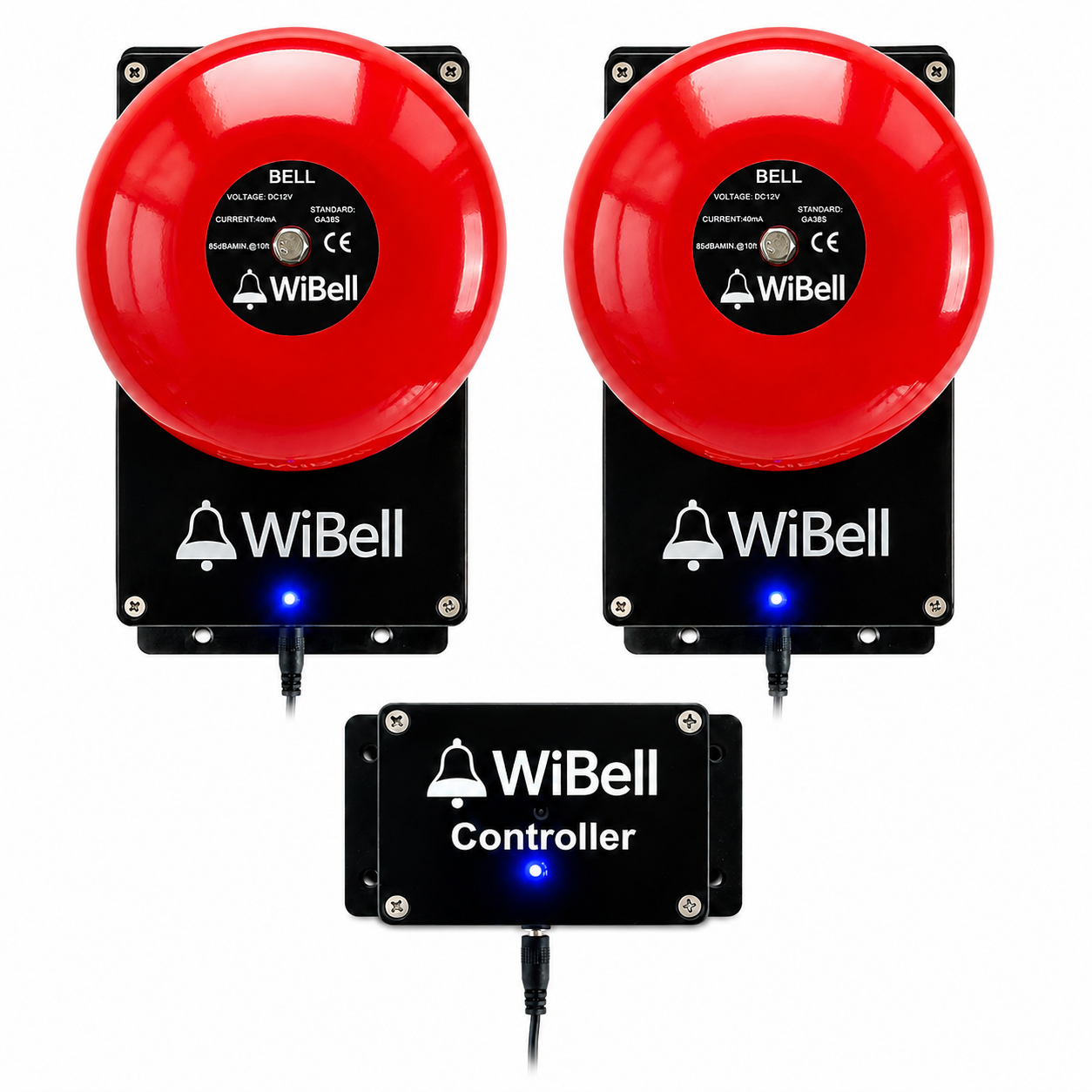
Set schedules, ring on-demand or at a one-off time later today, sync time, group bells by zone — all from a web dashboard that works on any phone, tablet, or laptop. Up to 32 bells from one Controller, no app to install.


Compare WiBell products
Not sure which product you need? Most customers start with the Programmable Bell.
| WiBell Programmable Bell | WiBell Controller | |
|---|---|---|
| Price | $299 | $249 |
| Description | Complete standalone bell system with built-in bell and RTC time backup. Best for new installs. | Central manager for multiple WiBell bells. Control up to 32 bells from one dashboard. |
| Product type | Complete bell system | Central manager for WiBell bells |
| Built-in bell | Yes | No |
| Standalone use | Yes | No |
| WiFi | 2.4 GHz — optional for one bell | 2.4 GHz — required |
| Internet | Not required | Not required |
| Time sync | Phone at setup, internet time on WiFi, RTC backup | Internet time on WiFi, shared to every bell |
| Works with WiBell bells | Yes | Yes |
| Multi-bell control | With Controller | Up to 32 bells |
| RTC time backup | Yes | No |
| Best for | New installs | Multi-bell WiBell systems |
| Buy Now — $299 | Buy Now — $249 |
WiBell Programmable Bell
$299
Complete standalone bell system with built-in bell and RTC time backup. Best for new installs.
| Built-in bell | Yes |
| Standalone use | Yes |
| WiFi | 2.4 GHz — optional |
| Internet | Not required |
| Time sync | Phone, internet time, RTC backup |
| Multi-bell control | With Controller |
| RTC time backup | Yes |
| Best for | New installs |
WiBell Controller
$249
Central manager for multiple WiBell bells. Control up to 32 bells from one dashboard.
| Built-in bell | No |
| Standalone use | No |
| WiFi | 2.4 GHz — required |
| Internet | Not required |
| Time sync | Internet time, shared to bells |
| Multi-bell control | Up to 32 bells |
| RTC time backup | No |
| Best for | Multi-bell WiBell systems |
Need more than one bell?
One bell covers ~8,000 sq ft. Larger spaces need multiple bells. Add a WiBell Controller to set your schedule once and push it to all bells at the same time — no need to configure each bell individually.
Multi-bell discount: Lower per-bell price when you buy 2 or more — see the bell product page for current pricing.

Set up once, push to all
Create your schedule on the Controller, then push it to every bell with one click — even if all bells are in the same area. Update a break time? Change it once, push once. No need to connect to each bell separately.
Optional: different zones
If different areas need different schedules, organize bells into up to 4 groups. Production floor on one schedule, shipping on another — all from the same dashboard.
Common setups
Large warehouse
4 bells + 1 controller. Same schedule on all bells. Set once, push to all — done.
$1,349
School campus
8 bells + 1 controller. Same or different schedules per building. Managed from the office.
$2,399
Factory — 2 zones
12 bells + 1 controller. Multiple zones — production, shipping, office. Different break schedules per zone.
$3,399
Buy Bell — $299
Buy Controller — $249
Buying for a school, city, or business? Request a quote — purchase orders accepted
Frequently asked questions
Quick answers to the most common questions about WiBell.
Do I need WiFi to use WiBell?
No. The bell creates its own WiFi hotspot that you connect to during setup to set the schedule — no building network and no internet needed. Connecting the bell to your building WiFi afterward is optional for a single bell (it keeps the clock set automatically) and required only when you run multiple bells from a Controller. WiBell is 2.4 GHz only — 5 GHz networks are not supported.
Will WiBell work on my 5 GHz WiFi?
No. WiBell is 2.4 GHz only — a 5 GHz network will not appear in the setup list at all. This is the one thing worth checking before you order. Most routers broadcast both bands, so make sure the 2.4 GHz band is switched on. A single bell needs no building network at all (setup runs on the bell's own 2.4 GHz hotspot), but running several bells from a Controller does need 2.4 GHz on your building WiFi.
Do I have to keep my phone or computer connected to the bell?
No. Your phone or computer is only used once, during setup, to set the schedule and the time. After that you disconnect — the bell stores your schedule in its own memory and rings on its own built-in clock. Close the browser, leave the building, or turn your phone off completely, and the bell keeps ringing on schedule. A single bell needs nothing but power from then on; with a Controller, the bells stay on your 2.4 GHz WiFi so the Controller can push schedule changes — but they keep ringing their saved schedule even if the network drops.
Is there a subscription or monthly fee?
No. WiBell is a one-time purchase. You own the hardware, you own the data, no recurring fees, ever.
How long does setup take?
About 5 minutes. Mount the bracket, plug in the bell, connect to its 2.4 GHz WiFi hotspot from your phone, set your schedule. No electrician, no IT department, no special tools.
How loud is it?
85 dB measured at 10 feet. Loud enough for a school hallway, factory floor, or warehouse. For larger buildings, add multiple bells — one bell covers about 8,000 sq ft.
What happens during a power outage?
The bell stores your schedule in its own memory, and a built-in CR2032 backup battery keeps the clock running through the outage. When power returns, the bell resumes ringing on schedule — no manual resync needed. Even if the backup battery ever dies, your schedules stay saved; only the clock needs setting again.
Can I run multiple bells from one schedule?
Yes. Add a WiBell Controller: the Controller and every bell join your building's local 2.4 GHz WiFi network and talk to each other over it — there is no radio pairing to set up, and no internet needed. Set the schedule once on the Controller and push it to every bell — up to 32 — with one click, optionally split into groups (production floor, office, etc.) with different schedules.
What's the range? Can bells be in a different building?
There's no direct radio link — the Controller and every bell join your local 2.4 GHz WiFi network, so the range is your WiFi coverage: anywhere your WiFi reaches, a bell can go. Bells in a separate building work from the same Controller as long as that building is on the same network; a building with its own separate network needs a WiFi extension or its own Controller. No internet required either way.
Does it work with my existing bell?
No — WiBell is a complete replacement bell, not a retrofit controller.
What's the warranty?
1-year limited hardware warranty plus 30-day money-back returns with no restocking fee. US-based support if anything goes wrong.
Where is WiBell made?
Made in USA with imported components — designed, programmed, assembled and tested in Little Rock, Arkansas. Free US shipping, ships in 1–2 business days.
Can I schedule different bells for different days?
Yes. Every schedule picks its own days of the week, and alternate day tabs cover exception days — late starts, assembly days, half days — without touching your normal week. With a Controller you can run an alternate schedule for just one group for the day; it turns itself off automatically at day's end. Up to 500 scheduled events per bell, and schedules survive power outages.
Do you accept purchase orders (POs)?
Yes. We work with schools, districts, municipalities, and businesses — W-9 and tax-exempt handling available, with net-30 terms for verified institutions. Request a quote and we'll send an itemized, PO-ready quote within one business day.

- Choosing a selection results in a full page refresh.
- Opens in a new window.