


Received the product. installed as directed. Started using the system the same day.
WiBell
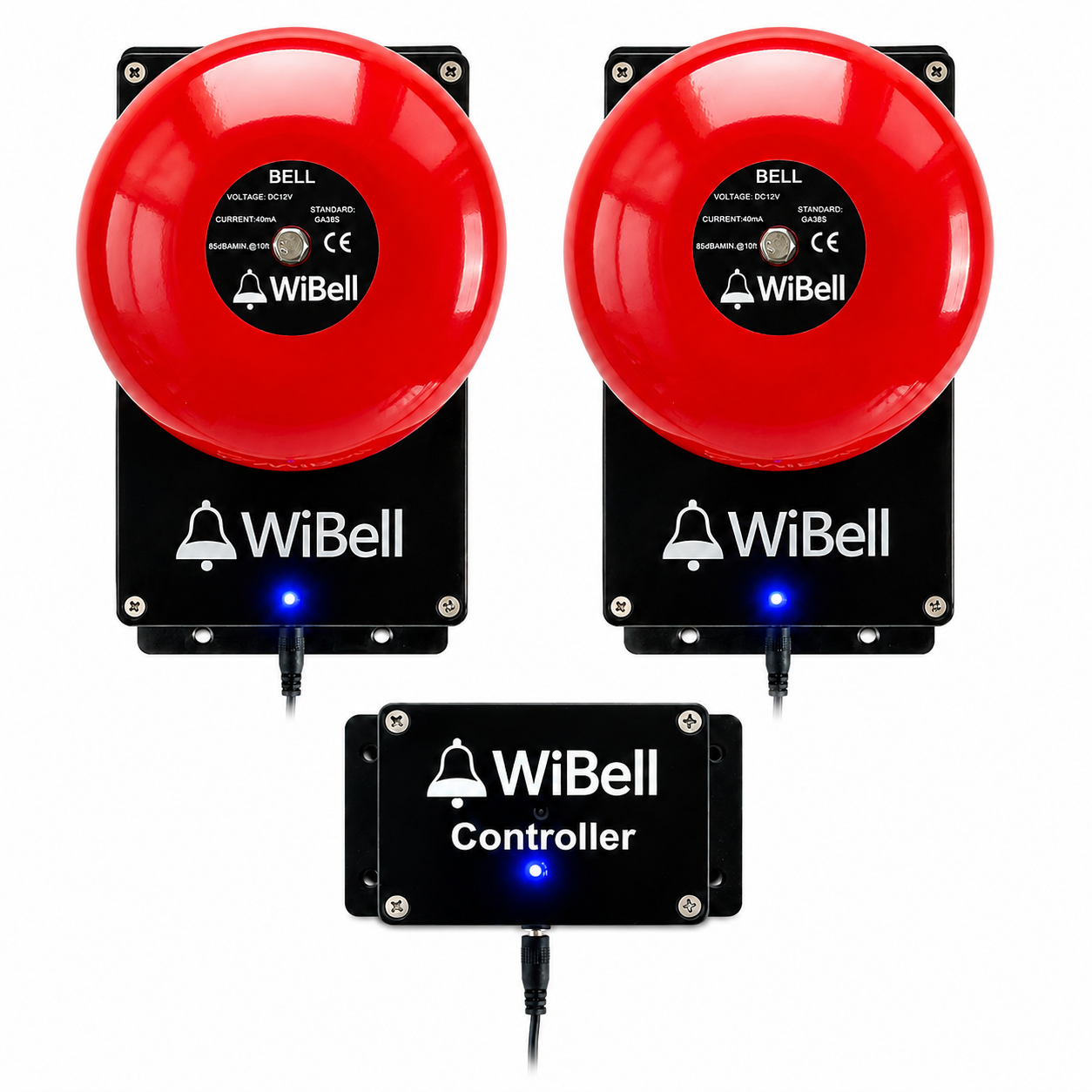
WiBell Classic Programmable Bell
WiBell Classic Programmable Bell
$299.00 USD
Free U.S. shipping
Quantity
This kit uses your WiFi — 2.4 GHz
The Controller and the bells talk to each other over your building’s network, and WiBell joins 2.4 GHz networks only — a 5 GHz network will not appear in the setup list. Most routers broadcast both bands; just make sure 2.4 GHz is switched on. The network never needs internet access. More on setup.
Couldn't load pickup availability
Free U.S. shipping
Ships in 1–2 business days
30-day returns
1-year warranty
U.S.-based support · replies within 1 business day
Ships in 1–2 business days
30-day returns
1-year warranty
U.S.-based support · replies within 1 business day
Bigger kits save more
Save up to $634 on the largest kit vs. buying piece by piece.
⚠️ WARNING: This product contains a coin cell battery. DEATH or serious injury can occur if swallowed. Keep out of reach of children. If swallowed, seek medical attention immediately and call the National Battery Ingestion Hotline: 1-800-498-8666. Full battery safety information
WiBell Classic Programmable Bell
WiBell is a complete programmable bell system designed for schools, warehouses, factories, churches, and commercial facilities. It operates as a standalone device — no internet, no cloud service, and no subscription required.
The built-in web interface is accessible through the device’s own 2.4 GHz WiFi hotspot or your building’s local 2.4 GHz network. Configure schedules, test the bell, and adjust settings from any phone or computer with a browser. No app to install.
Use WiBell independently with its own schedule, or connect it to a WiBell Controller for centralized management across multiple bells.
Key capabilities
Standalone operation — no internet required
500 scheduled events — per device, with room to spare
Alternate day schedules — separate timetables for late starts and assembly days
RTC backup battery — keeps time through outages, adjusts for DST on its own
Web-based control — edit, duplicate, and search schedules from any phone or computer
Ring now or later today — one-off ring at a time you pick, no schedule edits
Built-in 2.4 GHz hotspot — no building network needed
2.4 GHz WiFi — optional for one bell, required with a Controller
Multi-bell ready — via optional WiBell Controller
Range = your WiFi coverage — with a Controller, bells go anywhere your network reaches
How it works
1
Mount on wall and plug in the 12V adapter
2
Connect to the bell’s 2.4 GHz WiFi from your phone
3
Open 192.168.4.1, sync time, set schedules
Do you need WiFi? (2.4 GHz only)
One bell — WiFi is optional. The bell broadcasts its own 2.4 GHz WiFi hotspot. You join it from a phone or laptop, and opening the setup page sets the bell’s clock and time zone from your phone automatically. Set the schedule, disconnect, and the bell rings from its own memory on its own battery-backed clock. It never needs your building network, and it never needs internet.
Several bells — 2.4 GHz WiFi is required. To run multiple bells from one WiBell Controller, the Controller and every bell join your building’s 2.4 GHz WiFi and reach each other over that local network. That is the one setup where a building network is required — and it still needs no internet.
2.4 GHz WiFi only. WiBell does not use 5 GHz — a 5 GHz network will not appear in the setup list at all.
Joining your building’s 2.4 GHz WiFi is still worth doing for a single bell — it keeps the clock set automatically — but the bell rings on schedule either way.
The bell keeps its own 2.4 GHz hotspot running even after it joins your network, so the setup page stays reachable from a phone whether or not the building WiFi is up.
Specifications
| Power | 12V DC adapter (included) |
| Sound level | 85 dB at 10 ft |
| Coverage | 6,000–8,000 sq ft (layout dependent) |
| Ring duration | 1–60 seconds (adjustable) |
| Schedules | Up to 500 events per week |
| Network | 2.4 GHz WiFi only (5 GHz not supported) — optional for a single bell, required with a Controller |
| Internet | Not required for operation — the bell creates its own hotspot for setup |
| Firmware updates | Free for the life of the product. Optional and manual: the bell checks only when you ask and never updates itself. |
| Backup battery | CR2032 RTC (3–5 year life) |
| Control interface | Any web browser (phone, tablet, or PC) |
| Mounting | Wall mount (hardware included) |
| Enclosure | Industrial ABS housing |
Sound coverage
85 dB at 10 feet provides effective coverage of approximately 6,000–8,000 sq ft, depending on background noise and building layout. A single unit is typically effective for up to 5 classrooms when rooms open into the same shared hallway.
For long hallways, separated wings, multiple floors, or high-noise environments, deploy additional WiBell units. Each unit operates independently, or several units can be managed centrally from a WiBell Controller once they are all on the same 2.4 GHz WiFi network. Because they talk over that network rather than a direct radio link, the working range is your WiFi coverage — bells can sit anywhere it reaches, including a separate building on the same network.
What's included
WiBell Programmable Bell | 12V DC power adapter | Mounting hardware (screws + wall plugs) | Quick start guide
Documentation
WiBell Programmable Bell Manual (PDF)
Includes setup instructions, schedule configuration, firmware updates, password recovery, battery replacement, and troubleshooting.
Full support page — setup videos, FAQ, and troubleshooting guides for all WiBell products.
Technical Support | Phone: (501) 570-6543 | Email: support@wibell.net | Made in USA with imported components
Patent Pending
⚠️ WARNING: Cancer and Reproductive Harm – www.P65Warnings.ca.gov


How to set up your WiBell
Bell setup in 90 seconds
From the box to ringing on schedule — no app, no internet, no subscription.
It rings on time
Three ways the clock stays right — and daylight saving handled on its own, even offline.
Mount it, power it, read the LED
What's in the box, the right way up, four screws, and what the light means.
What WiBell customers say
★★★★★
4.8 out of 5
Based on 9 verified reviews across the WiBell system
Perfect!!!!!
Great alarm for the price!
Instructions couldn't be any more clearer. Smooth setup, great sound and it's perfect for what our little school needs!
Simple and works
Very easy to set up. Just plug it in, connect with your phone, and set the schedules. No app or internet connection needed. The bell is loud and easy to hear throughout the building. Simple system and does exactly what we needed.

WiBell Classic Programmable Bell